 HiWhiteboard
Whiteboard games you can play right now
Four classic whiteboard games, ready to play in your browser: tic-tac-toe, hangman, dots and boxes, and Pictionary with prompt cards and a score box. Open a copy, play in person on a screen or projector, or share your screen in a video call. No sign-up.
Best for: Teachers looking for a quick classroom game, families and friends at home, and team leads running an icebreaker on a call.
Opens in the whiteboard as a new board saved in this browser.
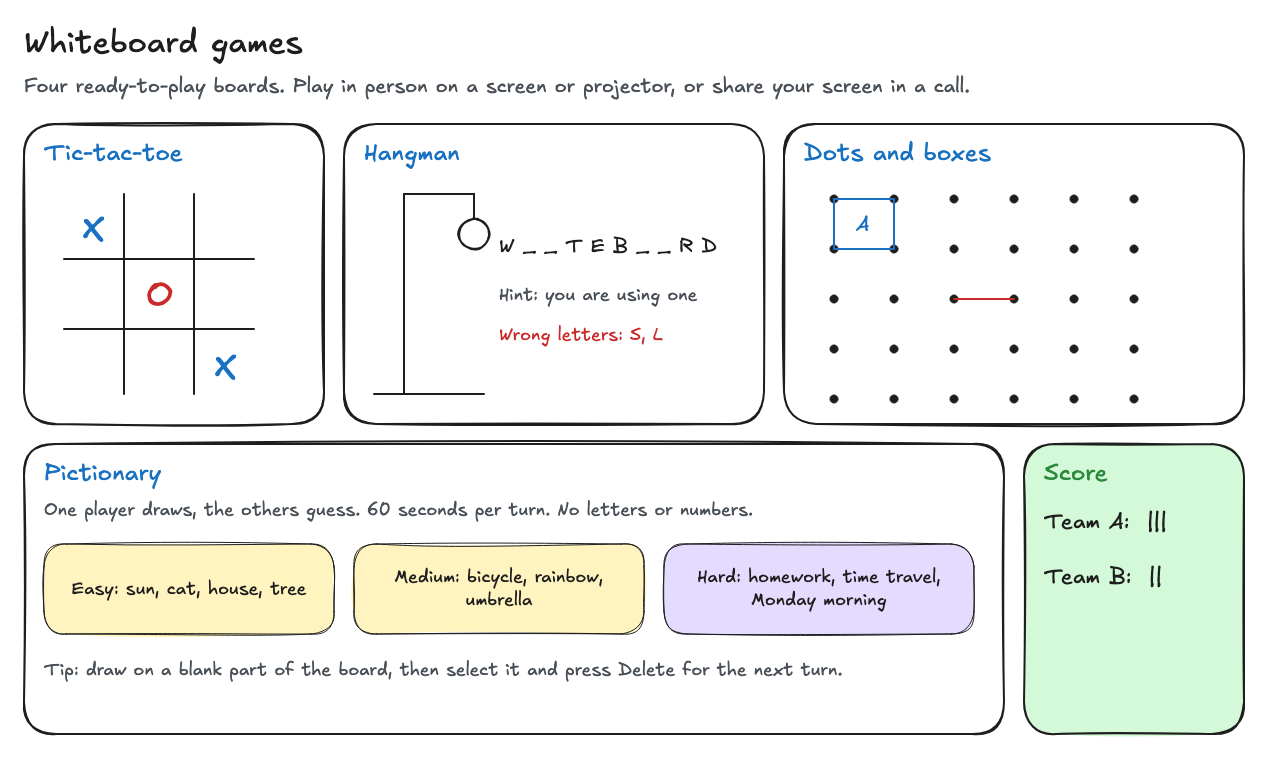
What you get
- A tic-tac-toe grid with a game in progress
- Hangman with a gallows, a word to guess, and a wrong-letters list
- A dots-and-boxes grid with the first box claimed
- Pictionary prompts at three levels, rules, and a score box
What it does not do
- One person controls the board; others cannot draw from their own devices
- No timer, dice, or automatic scoring
- Players see the board through your screen or projector
How to play each game
- Tic-tac-toe: two players take turns typing X or O in the grid. Select the old marks and press Delete to start again.
- Hangman: the host picks a word and draws one blank per letter. Each wrong guess adds a part to the figure and goes in the wrong-letters list.
- Dots and boxes: players take turns drawing one line between two neighboring dots with the line tool. Whoever closes a box writes their initial inside and plays again.
- Pictionary: a player draws a prompt on an empty part of the board while the others guess. Use a phone timer for 60-second turns, and tally points in the score box.
Playing on a call
Open the board in a browser tab and share that tab in your meeting tool. You draw and type; players call out their moves. HiWhiteboard does not let remote players draw on your board.
Making your own game boards
Every part is an ordinary whiteboard drawing. Duplicate the template, change the prompts, add a bingo grid with the rectangle tool, or draw a game of your own. Export a PNG to keep a picture of the final score.
Questions
Are these games free?
Yes. The template and the whiteboard are free to use without an account.
Can I use them in class with a projector?
Yes. Open the template on the classroom computer and use Full screen in the toolbar so only the board shows.
Related
- Classroom whiteboard template — Topic and date header, a working area, key points, and practice questions.
- Retrospective template — Start, Stop, and Continue sections with example notes and action items.
- Math whiteboard template — A coordinate plane on graph paper, a worked equation, and a number line.
- Guide: Use an online whiteboard for teaching and tutoring