 HiWhiteboard
Math whiteboard: graph grid, coordinate plane, and number line
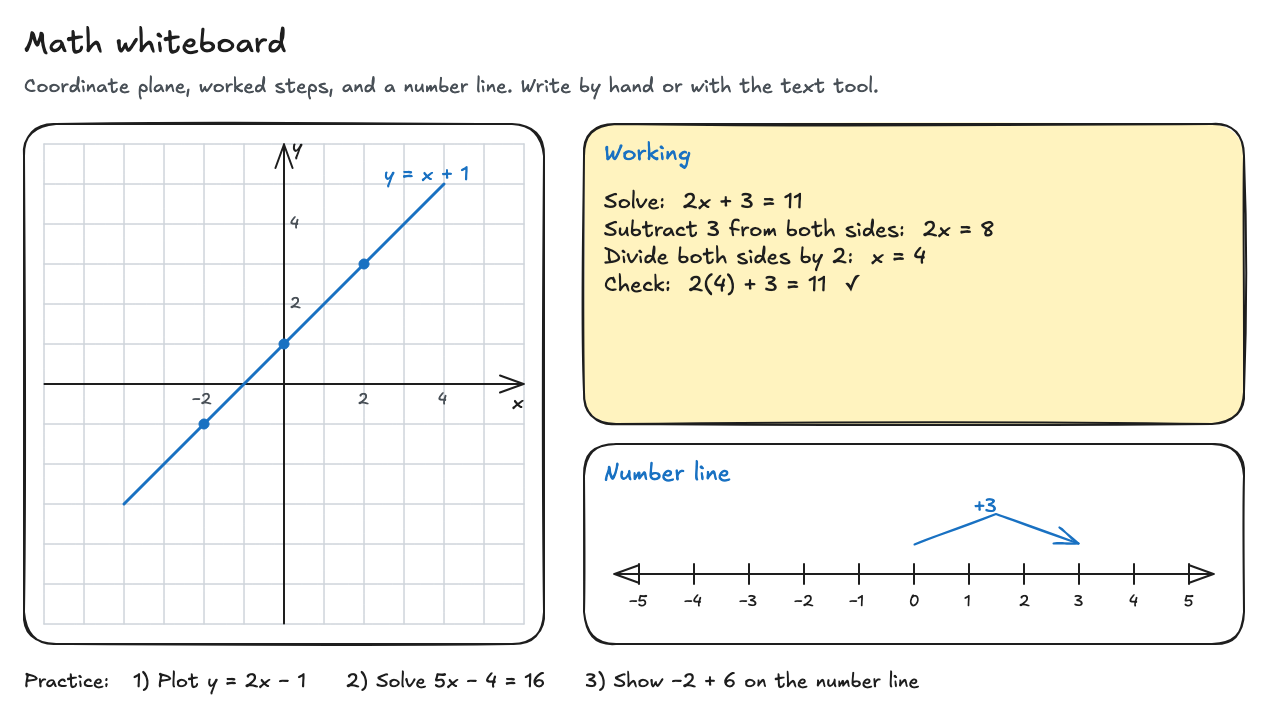
This free math whiteboard template gives you a coordinate plane on graph paper with a plotted line, a worked equation, and a number line from −5 to 5. Use it to explain a problem step by step, graph by hand, or show addition on a number line, right in your browser with no sign-up.
Best for: Math teachers and tutors explaining problems on a shared screen or projector, and students working through practice by hand.
Opens in the whiteboard as a new board saved in this browser.
What you get
- A 12 × 12 graph grid with x and y axes, plotting y = x + 1 through three points
- A worked example solving 2x + 3 = 11 with a check
- A number line from −5 to 5 showing a jump of +3
- Three practice questions to replace with your own
What it does not do
- No equation editor, LaTeX, or symbolic math
- It does not check or grade answers
- Graphs are drawn by hand, not calculated from a formula
How to use it in a lesson
- Select Use this template to open your own copy.
- Replace the worked example with today’s problem. Type each step with the text tool, or write it with the pen.
- Plot points on the grid: draw small dots with the ellipse tool, then join them with the line tool. Each square is one unit.
- Use the number line to show addition, subtraction, or negative numbers. Copy the curved arrow (Ctrl/Cmd+D) to show more jumps.
- To work from a worksheet, use Insert image to add a photo of the problem and write on top of it.
- Export the board as a PNG for students, or keep the editable file to reuse next lesson.
Tips for clear math on a screen
- Keep one step per line and line up the equals signs.
- Use one color for the work and another for the check, as the template does.
- Zoom in when you write by hand, then zoom out to show the whole solution.
Questions
Can I type equations with fractions or exponents?
You can type plain text like x^2 or 3/4, or write them by hand. There is no equation editor, so formatted fractions and exponents are not available.
Can students use their own copy?
Yes. Each student can open the template on their own device and work on their own board. Boards are saved in that browser only; nothing is shared between devices.
Related
- Classroom whiteboard template — Topic and date header, a working area, key points, and practice questions.
- Whiteboard games template — Tic-tac-toe, hangman, dots and boxes, and Pictionary prompts with a score box.
- Flowchart template — Start, Draft, Review, an Approved? decision, and Publish, with a rework loop.
- Guide: Use an online whiteboard for teaching and tutoring