 HiWhiteboard
Map a SWOT analysis on a whiteboard
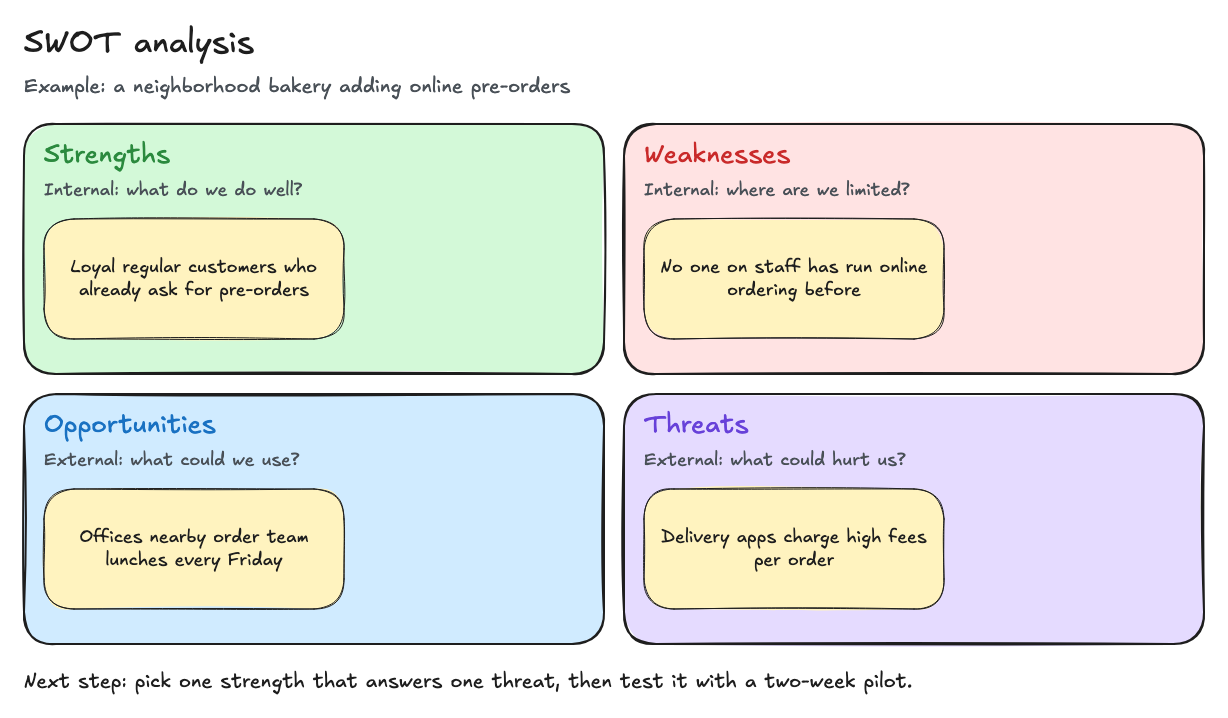
This SWOT template splits the board into four quadrants — Strengths, Weaknesses, Opportunities, and Threats — with one worked example per quadrant for a small project: a neighborhood bakery adding online pre-orders. Replace the examples with your own and finish with one next step.
Best for: Students, small business owners, and project teams who want to structure a decision before planning.
Opens in the whiteboard as a new board saved in this browser.
What you get
- Four labeled quadrants with an internal/external prompt each
- A worked example for one small project (a bakery adding pre-orders)
- A next-step line that turns the analysis into one action
What it does not do
- It does not research your market or validate ideas
- No scoring or weighting tools
What each quadrant means
| Quadrant | Looks at | Example in the template |
|---|---|---|
| Strengths | Internal: what you already do well | Loyal regular customers who already ask for pre-orders |
| Weaknesses | Internal: where you are limited | No one on staff has run online ordering before |
| Opportunities | External: conditions you could use | Offices nearby order team lunches every Friday |
| Threats | External: conditions that could hurt you | Delivery apps charge high fees per order |
The bottom line of the board turns the analysis into action: pick one strength that answers one threat, then test it with a two-week pilot.
How to use it
- Select Use this template and rename the board after your project.
- Replace the subtitle with one sentence describing the decision you are making.
- Add three to five sticky notes per quadrant. Keep each note short and specific; “good reputation” is less useful than “40 five-star reviews in our area”.
- Look across quadrants: which strength helps with a threat, and which weakness blocks an opportunity?
- Write one next step and export the board as an image for your notes.
What a SWOT analysis cannot tell you
A SWOT board organizes what you already believe. It does not test whether customers want something, and it is not market research. Treat the notes as assumptions, and check the important ones with real data — such as a short pilot or conversations with customers — before committing money or time.
Questions
Can I add more quadrants or notes?
Yes. It is an ordinary whiteboard: copy a sticky note, resize a quadrant, or add text anywhere.
How do I share the result?
Export a PNG or SVG image, or send the editable file so someone can open their own copy. There is no shared link.
Related
- Flowchart template — Start, Draft, Review, an Approved? decision, and Publish, with a rework loop.
- Retrospective template — Start, Stop, and Continue sections with example notes and action items.
- Kanban board template — To do, Doing, and Done columns with a WIP limit of 3 on Doing.
- Guide: How to save, export, and back up a whiteboard