 HiWhiteboard
Online chalkboard for lessons
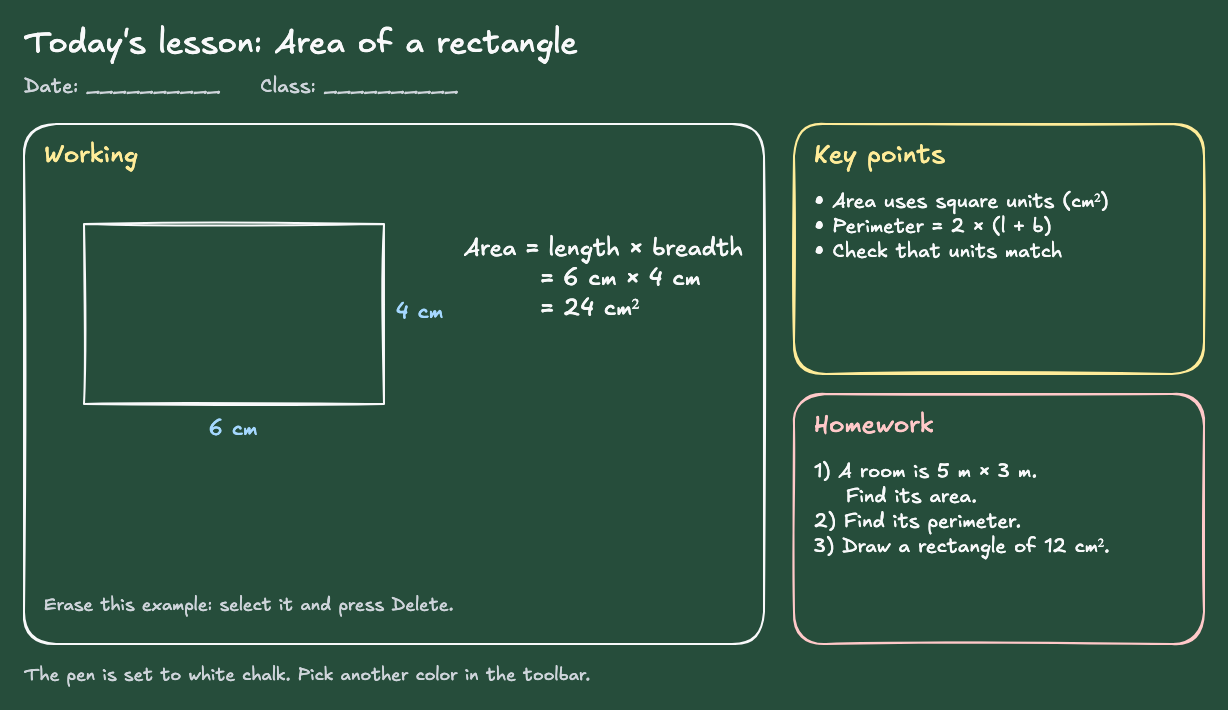
This free online chalkboard template is a dark green board with the pen already set to white chalk. It has a lesson title, a working area with a solved example, a key points box, and a homework box. Write by hand or type, show it on a projector or shared screen, and save it in your browser with no sign-up.
Best for: Teachers and tutors who prefer the look of a classroom blackboard or green board, and anyone who wants light writing on a dark board for a projector.
Opens in the whiteboard as a new board saved in this browser.
What you get
- A dark green board with the pen and text color set to white chalk, so new writing shows up right away
- A worked example (area of a rectangle), a key points box, and a homework box to replace with your own
- Images in PNG or SVG with the green background kept, plus an editable backup
What it does not do
- It looks like chalk but uses the normal drawing tools; there is no chalk texture or dust effect
- Students cannot write on your board from their devices
- No equation editor, LaTeX, or handwriting recognition
How to use it in a lesson
- Select Use this template to open your own copy.
- Change the lesson title and date. Select the example and press Delete when you no longer need it.
- Write with the free-draw tool or type with the text tool. New strokes are white chalk; pick yellow, blue, or another color from the toolbar to highlight.
- Show the board on a projector, or share the browser tab in your video meeting.
- Export a PNG for students. The image keeps the green background, so light writing stays readable.
Chalkboard or whiteboard?
Both work the same way here. Choose the chalkboard when your class is used to a blackboard or green board, or when a dark background is easier to read on your projector. For a white background with ready-made math layouts, use the math whiteboard or classroom whiteboard template.
Questions
Is this an online blackboard?
Yes. It is a blackboard-style board in your browser: a dark green canvas with white “chalk” writing. Everything else works like the online whiteboard: shapes, text, images, undo, and export.
Can I change the board color?
Yes. Open the editor menu (☰) and pick a color under Canvas background. Exported images use the board’s background color.
Will my writing be saved?
Your board saves automatically in this browser on this device. To keep a copy elsewhere, download the editable backup from the Export menu.
Related
- Classroom whiteboard template — Topic and date header, a working area, key points, and practice questions.
- Math whiteboard template — A coordinate plane on graph paper, a worked equation, and a number line.
- Lined and graph paper template — A lined page with a margin and a graph-paper page for notes and scratch work.
- Guide: Free online whiteboard for teaching and tutoring